
Quick Start
1. Prepare the SEO plugin layer
Install and activate one supported SEO plugin: Yoast SEO, Rank Math, or All in One SEO.
2. Install Auto Focus Keyword for SEO
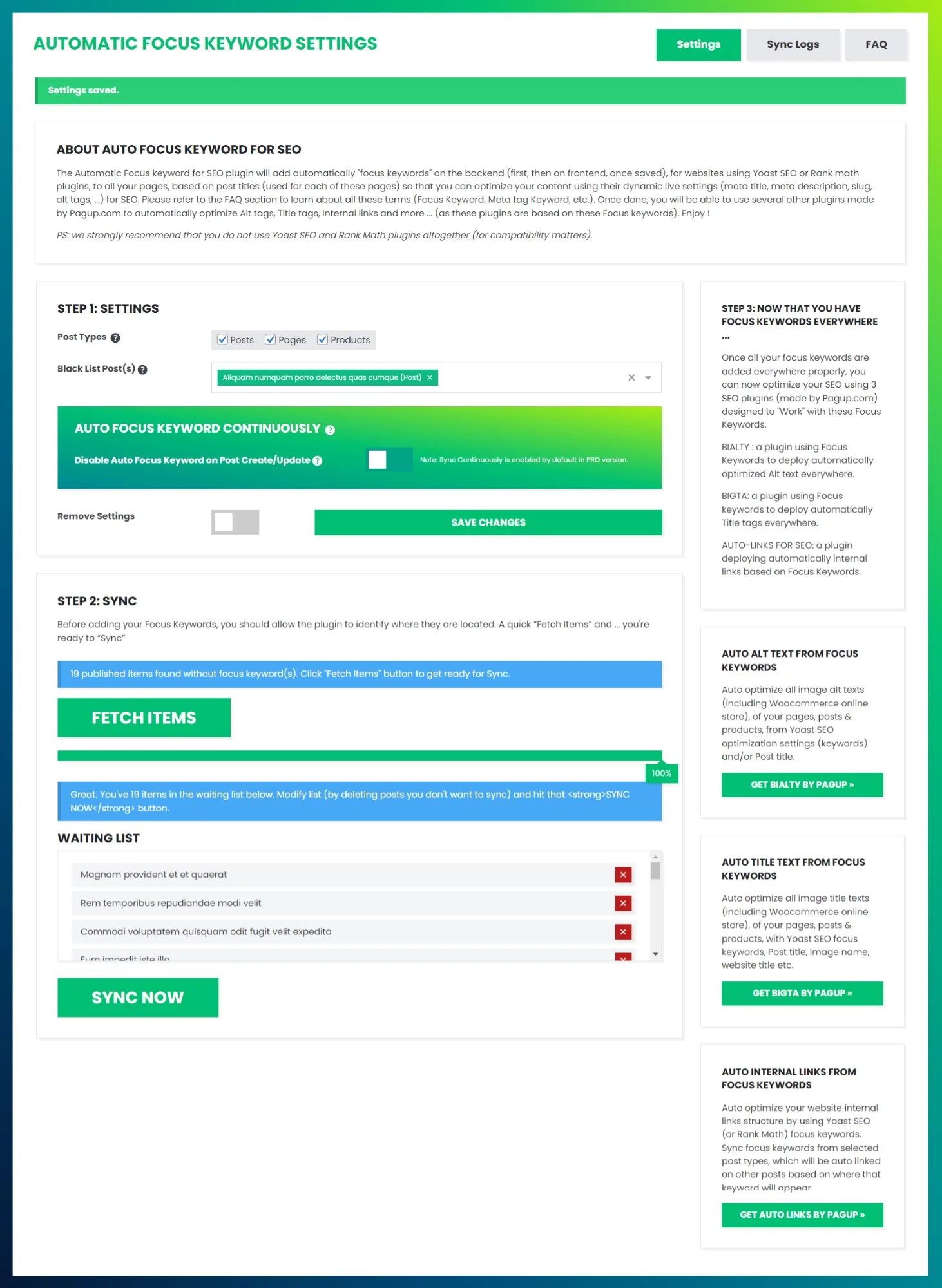
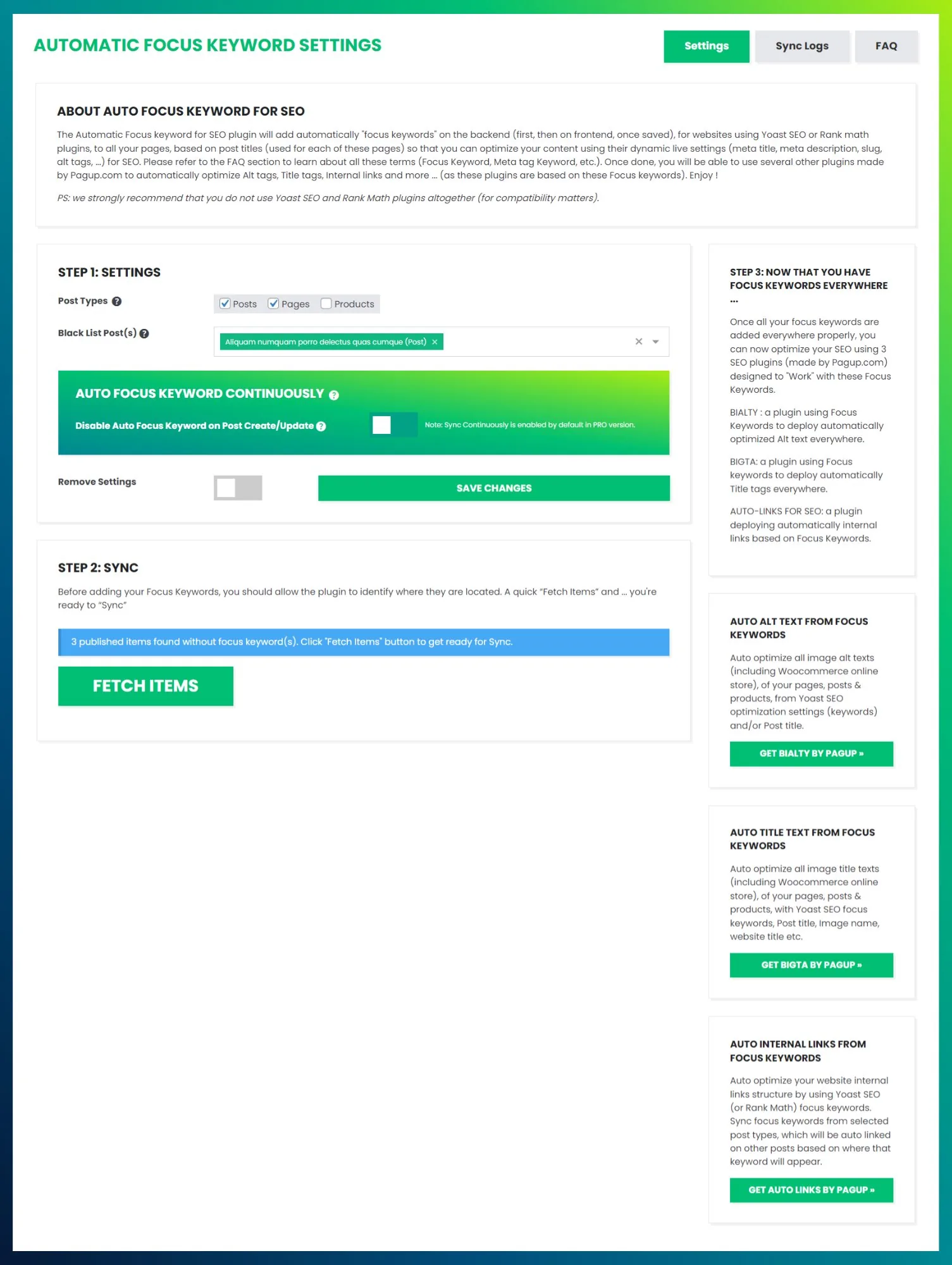
Download from WordPress.org. Select which post types to include (Posts, Pages, Products). Then run FETCH ITEMS to detect content without focus keywords.
3. Sync focus keywords
Review the waiting list, remove any items that should not be auto-populated, then click SYNC NOW. The plugin writes the page title as the focus keyword for every synced item.
4. Install Automatic Internal Links for SEO
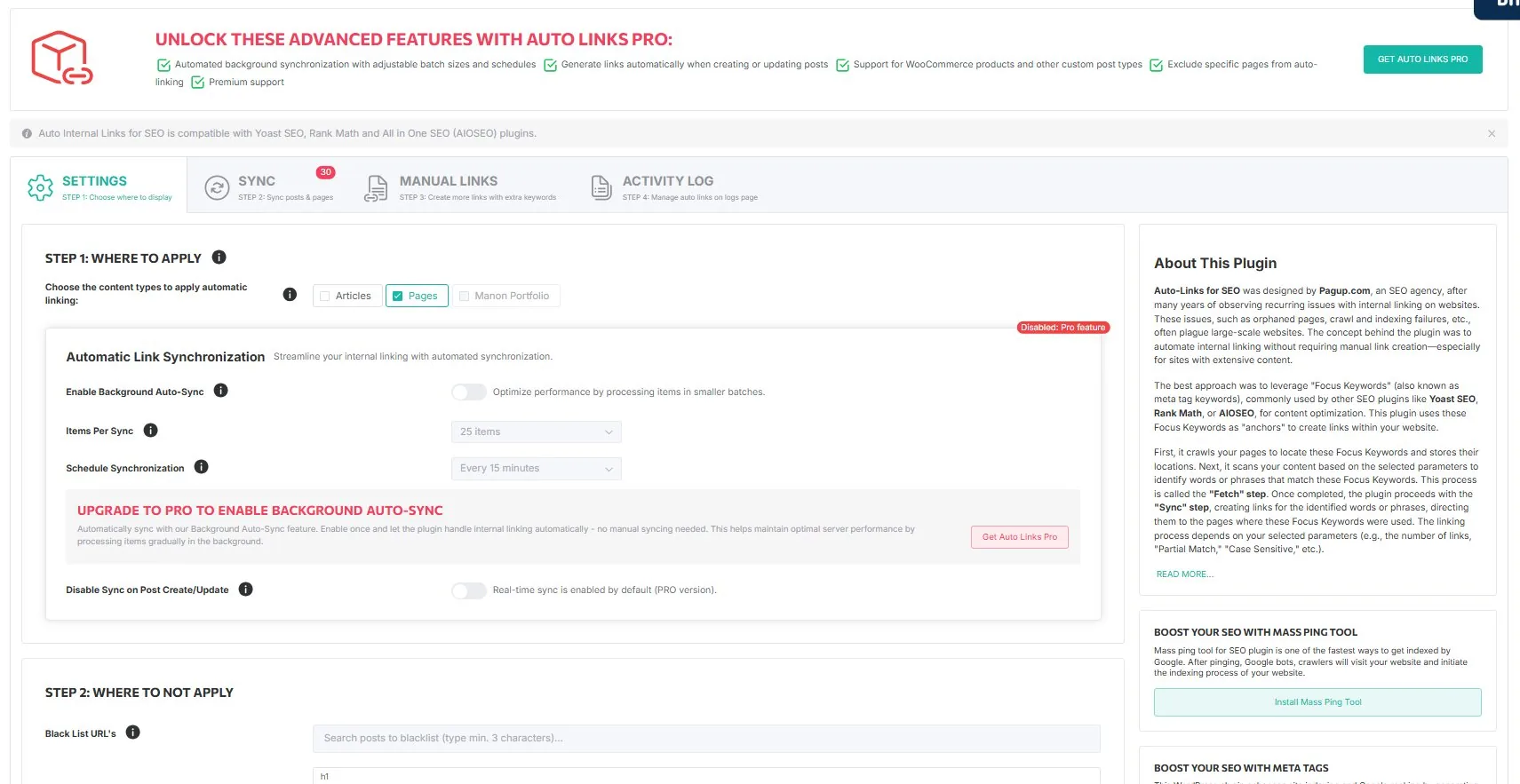
Download from WordPress.org. Configure the content scope, exclusions, max links, and anchor behavior on the Settings tab.
5. Run the first internal links sync
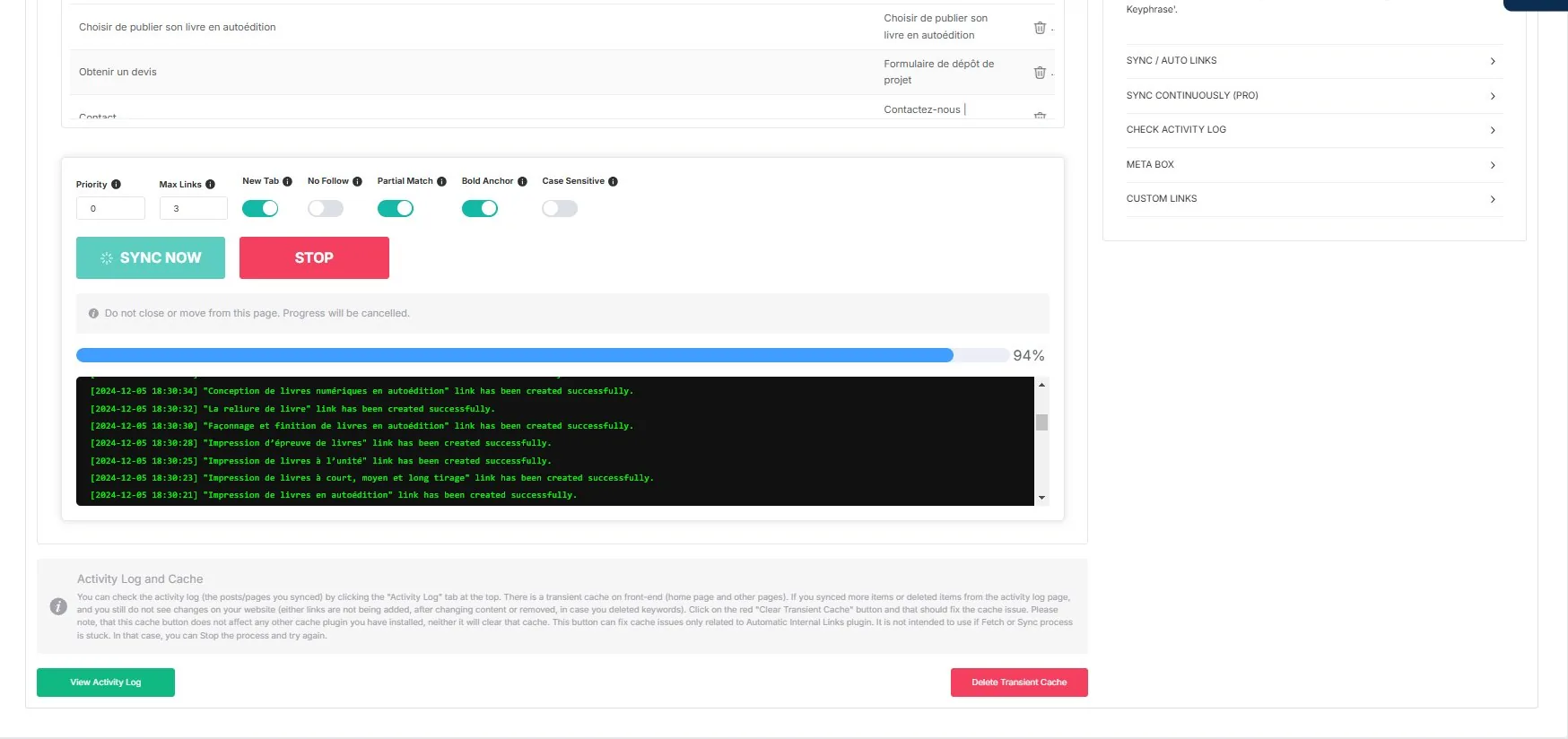
Go to the SYNC tab. Click FETCH ITEMS, then SYNC NOW. Watch the real-time log as links are created across your site.
6. Validate on the frontend
Check rendered pages, destination quality, exclusions, and link density. Validate on your real theme and builder stack.
7. Only then consider Pro
Move to the paid tier only after validating the real site behavior that matters to you. Compare plans.