
Sync & Auto Links
The internal linking engine operates in two modes depending on your plan.
SYNC — the manual mode (Free + Pro)
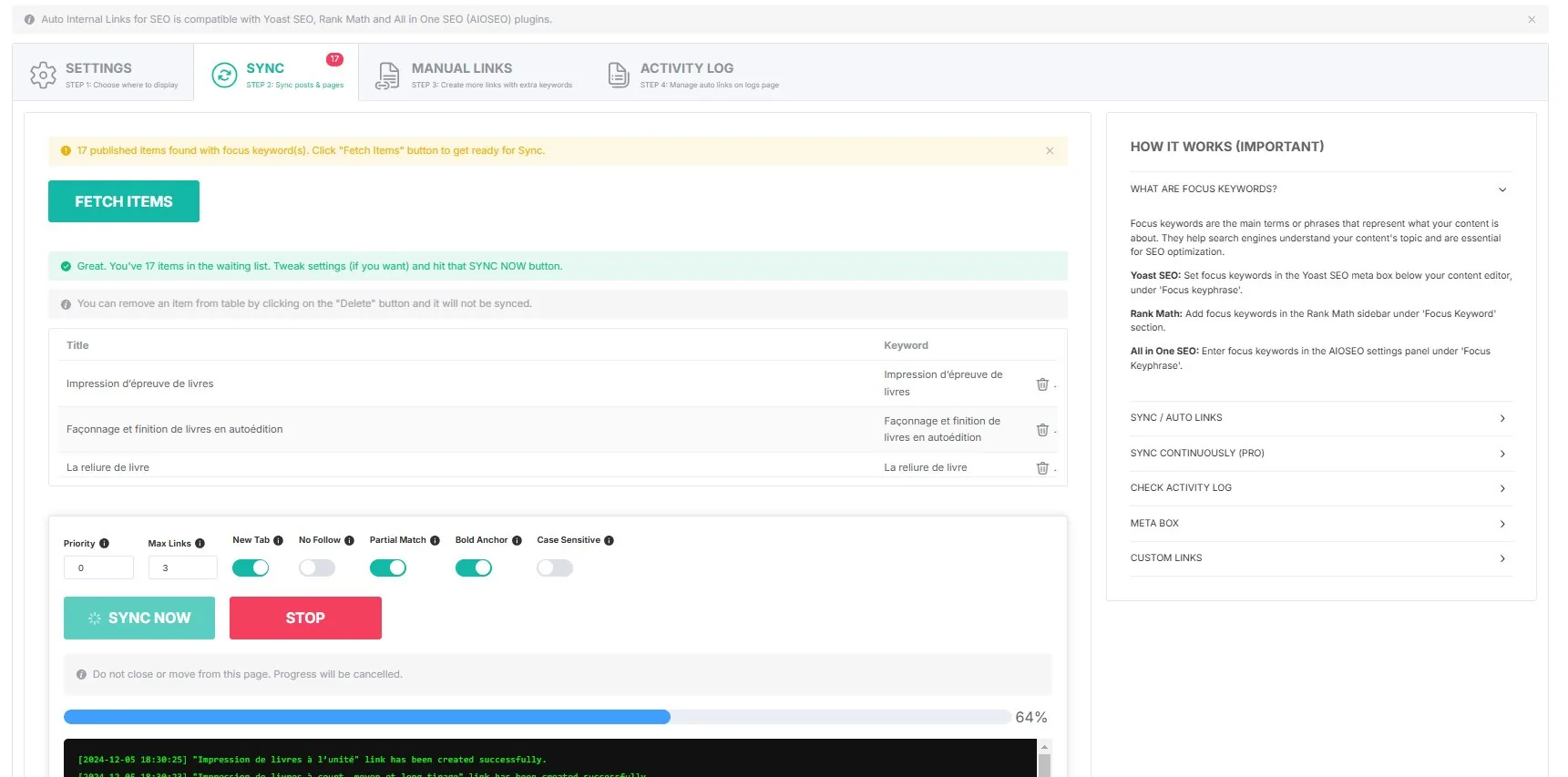
SYNC is available in both editions. You trigger it manually from the plugin admin. The process:
- Click FETCH ITEMS to scan your site for content that has focus keywords.
- Review the list — you can delete items you do not want to sync.
- Configure link settings (priority, max links, partial match, bold anchor, case sensitivity).
- Click SYNC NOW to create the links.
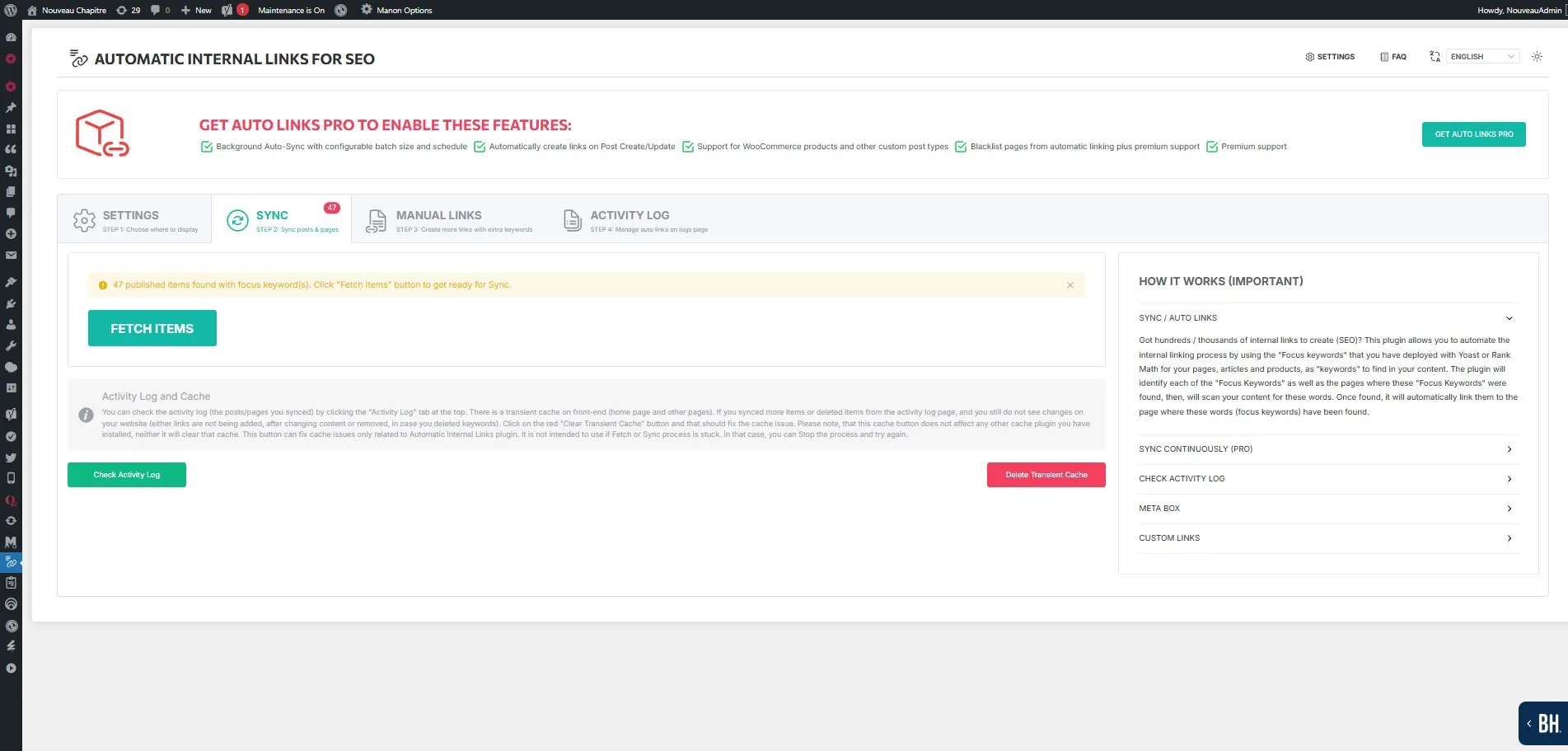
The real-time log shows every link created with timestamps and destination.
AUTO LINKS — the continuous mode (Pro only)
When AUTO LINKS is enabled, the plugin detects page updates and new published content automatically, then creates links without manual intervention. This mode uses the WordPress cron system with configurable batch size and frequency.
| Setting | Options |
|---|---|
| Batch size | 10, 25, 50, or 100 items |
| Frequency | Every 15 min, 30 min, hourly, 2 hours, 6 hours, or daily |
The sync badge in the admin menu shows how many items are pending synchronization.
What the link injection actually does
Links are injected at render time via the the_content filter (priority 99999 — runs last). The plugin does not modify your database content. If you deactivate the plugin, all auto-generated links disappear instantly. This is a non-destructive approach.