
Settings
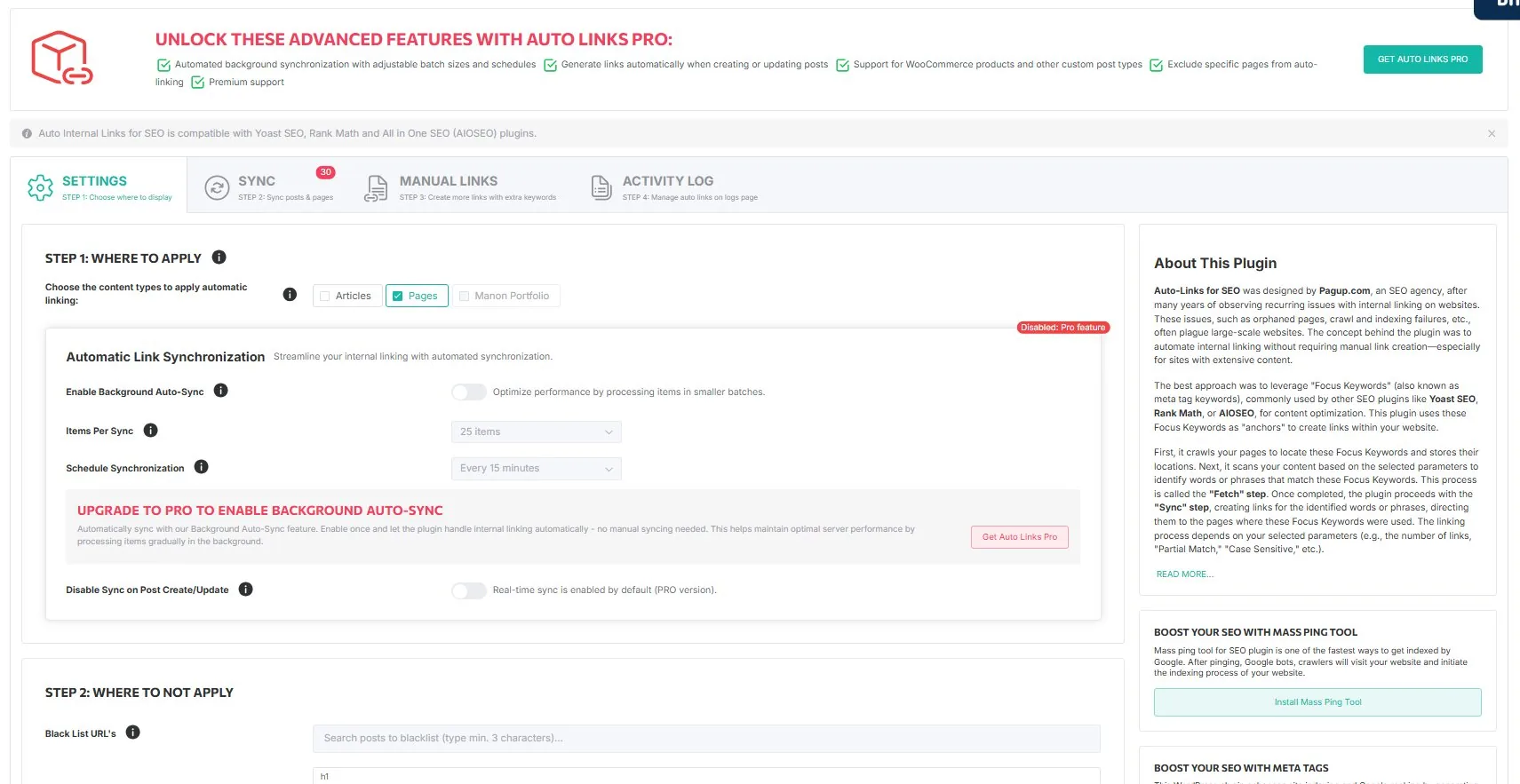
The Settings tab is organized in logical steps.
Step 1 — Where to apply
Select which content types receive automatic internal links. Available types include Articles (posts), Pages, and any custom post types registered on your site. WooCommerce product pages are available in the Pro version.
Step 2 — Where to NOT apply
Black List URLs — Enter URLs of pages that should never be used as link destinations by the plugin.
Exclude HTML Tags — By default, H1, H2, and H3 tags are excluded. You can add custom CSS IDs (#container) or classes (.skip-autolinks) to exclude specific page areas.
Exclude Keywords — Enter keywords (one per line) that should never be used as anchor text, even if they match a focus keyword. Keywords are case-sensitive by default.
Automatic Link Synchronization (Pro)
When enabled, the Background Auto-Sync processes items automatically on a schedule. You configure the batch size (10, 25, 50, or 100 items) and the frequency (every 15 minutes to daily).
Global settings
These settings apply to all links created by the plugin when Global Override is enabled: Max Links per page, New Tab, NoFollow, Partial Match, Bold Anchor, and Case Sensitive.